How do I join and play an online bingo game?
Open the game link from your host, enter your name, and select Join. Keep the same link until the game ends in case you need to return.
Before you join
You can join without using the host's account. If you are not signed in, use the same browser and device for the whole game. Your marked squares may not follow you if you clear your browser data or change devices.
Ask the host which pattern you need to complete. Keep the invitation link where you can find it again.
Join the game
- Open the invitation link from the host.
- Enter your name in Your name.
- Select Join.
- Wait for the host to start the game.
After you join, the host can see you in the player count. You will see Wait for the game to start until the first call is made.
If you see The game room is not created, the host has not opened the room yet. Leave the page open or return to the same link after the host starts it.
Mark your card
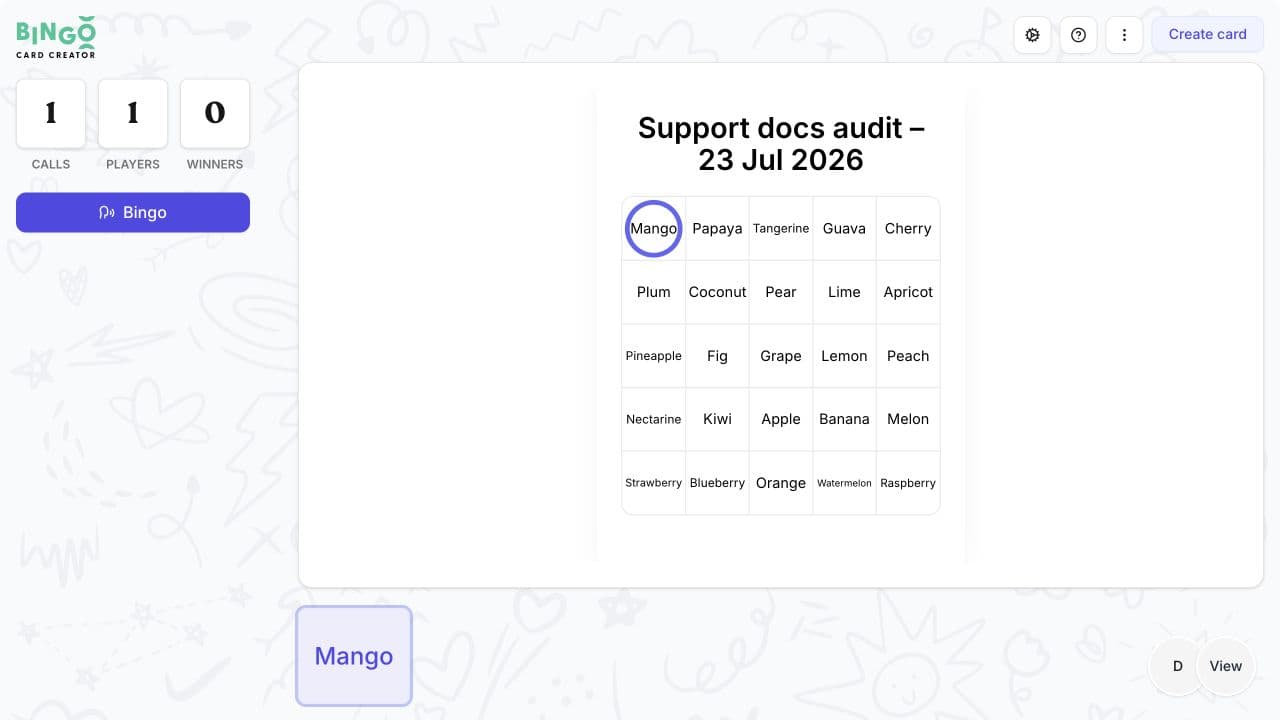
When the game starts, the current call appears above your card.
- Find the matching square on your card.
- Select the square to mark it.
- Check the current and previous calls if you miss the caller's audio.
- Keep marking until you complete the pattern chosen by the host.
Call bingo
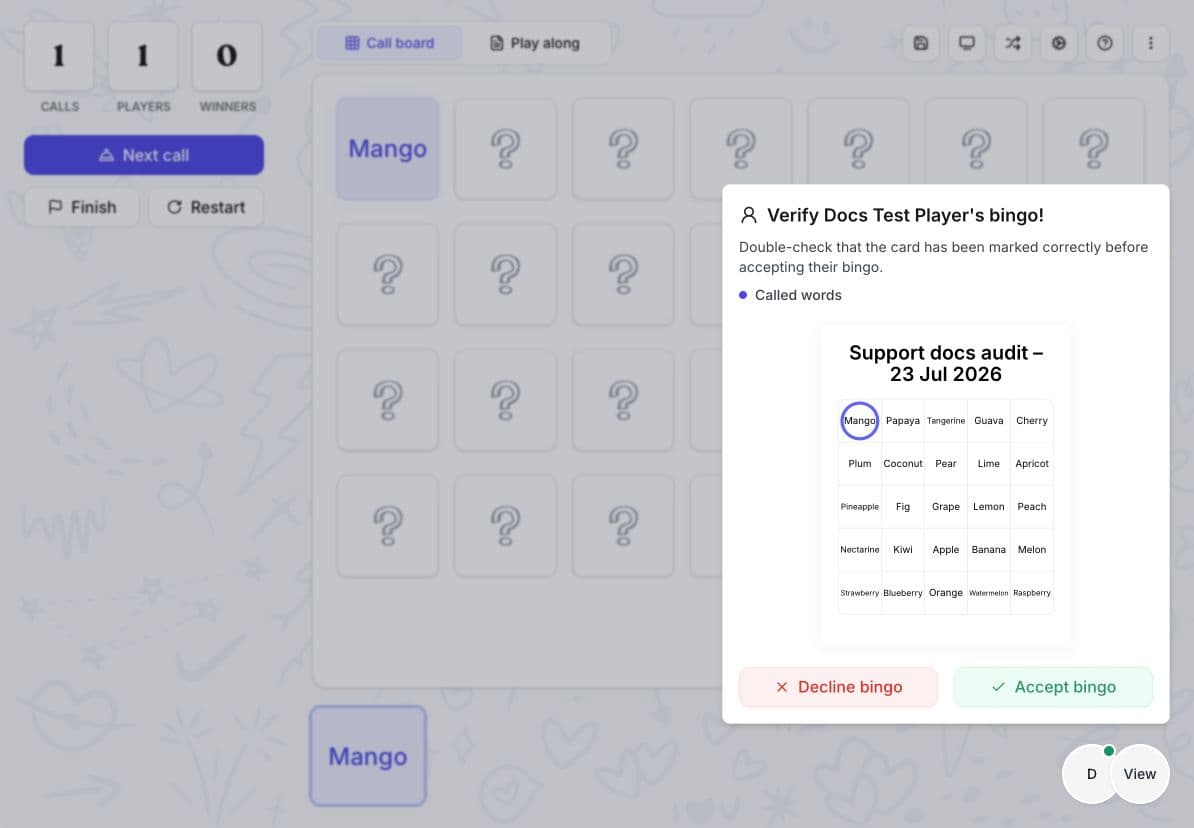
Select Bingo when your marked squares complete the required pattern. Wait while the caller checks your card.
If the caller selects Decline bingo, you will see Bingo rejected! Check the pattern and the called items, then continue playing.
If the caller accepts your bingo and chooses Continue, you will see Congrats, you won! The same round stays open while the host looks for more winners.
If the caller chooses Declare winners, you will see Congrats! and the round ends. Select Join the game when the host starts another round.
Automatic marking and wins
The host may turn on options that change what you need to do:
- Auto-daub marks a matching square for you when its item is called.
- Auto-verify checks your bingo when you select Bingo, so the host does not need to review the card manually.
- Auto-win submits a completed pattern automatically. The Bingo button is unavailable because you do not need to select it.
The host still chooses whether to continue the same round for more winners or declare the winners and end it.
If the host restarts the game
Restarting begins a new round and cannot be undone. Your previous marks and the current calls and winners are cleared, and you receive a new card.
You will see Game restarted and Your new card is ready.
If the host removes or blocks you
If you see You've been removed by the caller, select Rejoin to ask to return. You will see Waiting for approval until the host accepts or rejects your request.
If you see You have been blocked, you cannot rejoin that room. Contact the host if you think this was a mistake.
Return after a reload or connection problem
If the page reloads, open the same invitation in the same browser. This normally returns you to the game with your name and marked squares.
If you see Trying to reconnect, leave the page open while it attempts to reconnect. If the game does not return, open the original invitation again. The host may need to approve a request to rejoin.
Players who joined without signing in may lose their marks after clearing browser data or changing devices. If the room still does not open, contact the host before joining from somewhere else.
Related guides
Was this article helpful?
Still have questions?
Haven't you found what you're looking for in our support area? Contact us by selecting the button below.
Contact us